Why Is My Ninja Air Fryer Beeping And How To Fix It
If your Ninja Air Fryer is beeping, it is usually trying to tell you something important. Common causes include power issues, overheating, a basket not seated properly, or error codes that need your attention. In this guide, we walk you through every reason your air fryer might beep and give you simple, step-by-step fixes to get it running smoothly again.
Key Takeaways
- Power supply problems are the most common reason for beeping — check your outlet and cord first.
- Overheating alerts mean your air fryer needs a break; give it 10-15 minutes to cool down.
- Basket placement errors trigger beeps when the basket is not fully inserted or locked in position.
- Understanding error codes on your Ninja display helps you diagnose the exact issue fast.
- Regular maintenance like cleaning the heating element and checking for debris prevents most beeping issues.
- A soft reset or hard reset can clear error states and restore normal function in most cases.
- Contact Ninja support if beeping persists after troubleshooting, especially if your unit is still under warranty.
📑 Table of Contents
- Why Is My Ninja Air Fryer Beeping And How To Fix It
- Common Reasons Your Ninja Air Fryer Is Beeping
- Ninja Air Fryer Error Codes Explained
- How To Reset Your Ninja Air Fryer
- Maintenance Tips To Prevent Beeping
- When To Contact Ninja Customer Support
- Quick Tips For Smooth Air Fryer Operation
- Understanding Your Air Fryer Temperature Settings
- Comparing Beeping Issues Across Ninja Air Fryer Models
- Conclusion
Why Is My Ninja Air Fryer Beeping And How To Fix It
You are halfway through cooking your favorite meal when suddenly your Ninja Air Fryer starts beeping. It is frustrating, confusing, and honestly a little scary. You are not alone. Many Ninja air fryer owners experience this issue at some point, and the good news is that most of the time, the fix is simple and quick.
A beeping air fryer is not just random noise. Your Ninja air fryer has a built-in system of alerts and error codes designed to protect you and the machine. The beeping sound is your air fryer talking to you. It might be telling you about a power issue, an overheating problem, or that the basket needs to be reseated. Once you understand what your air fryer is trying to say, solving the problem becomes much easier.
In this complete guide, we will cover every common reason your Ninja air fryer might beep. We will walk you through error codes, reset procedures, maintenance tips, and when it is time to reach out for professional help. Whether you own a Ninja AF101, AF200, or any other model, this article has you covered. Let us get into it and silence that beeping for good.
Common Reasons Your Ninja Air Fryer Is Beeping
Before you panic, take a breath. Your Ninja air fryer is almost always trying to help you. The beeping is a safety feature or a notification system. Here are the most common reasons your unit is making that annoying sound.
Power Supply Issues
The number one reason for a beeping Ninja air fryer is a problem with the power supply. This can show up in several ways. Your outlet might not be delivering enough power. The power cord might be loosely connected. Or there could be a fluctuation in your home electrical system.
Here is what to check if you suspect a power issue:
- Make sure the power cord is firmly plugged into both the air fryer and the wall outlet.
- Try plugging your air fryer into a different outlet to rule out a dead socket.
- Check the power cord for visible damage like fraying or cracks.
- Look at your circuit breaker to see if a breaker has tripped.
- Avoid using extension cords or power strips, as they can limit power flow.
If the beeping stops after you fix the power connection, you have found your culprit. Power supply problems are easy to fix and very common. Many people do not realize their outlet is the problem until they try a different one.
Overheating Alerts
Your Ninja air fryer works hard. When it gets too hot, it will beep to let you know. Overheating usually happens when the unit runs for too long without a break, or when there is not enough airflow around the machine. This is a safety feature that prevents damage and potential fire hazards.
You might notice your air fryer overheating if:
- The exterior feels unusually hot to the touch.
- The beeping starts mid-cook or shortly after a long cooking session.
- The display shows a heat-related error code.
- Smoke or burning smells come from the unit.
The fix is straightforward. Unplug the air fryer and let it cool down for at least 10 to 15 minutes. Make sure there is at least 4 to 6 inches of space on all sides of the unit for proper ventilation. Do not place your air fryer under cabinets or against walls. Give it room to breathe, and it should work fine when you turn it back on.
Basket Not Properly Inserted
This is another super common cause. If your air fryer basket is not fully seated in the drawer, your Ninja will let you know with beeps. The machine needs the basket to be locked in place to cook safely and evenly. A partially inserted basket can also cause hot air to escape, leading to uneven cooking.
To fix this, pull the basket out completely and then slide it back in firmly. You should hear a click or feel a solid lock when it is in the right position. Some Ninja models have an indicator light or display message that confirms the basket is properly placed. Always make sure the basket is seated before you start any cooking cycle.
Ninja Air Fryer Error Codes Explained
Your Ninja air fryer uses a combination of beeps and display messages to communicate specific problems. Understanding these error codes can save you a lot of guesswork. Here is a breakdown of what common beep patterns mean.
Understanding Beep Patterns
Ninja air fryers typically use different beep patterns to signal different issues. A single short beep might mean your cooking cycle is done. But repeated beeping, especially long or continuous beeps, usually indicates a problem that needs your attention.
Here is a general guide to Ninja air fryer beep patterns:
- Single short beep: Cooking is complete or a button was pressed successfully.
- Three quick beeps: The basket is not properly inserted or removed.
- Continuous beeping: The unit is overheating or has a serious error.
- Alternating beeps with display message: A specific error code is displayed. Check your manual for the exact meaning.
- Long beep followed by a display code: This is your air fryer giving you a specific diagnostic code. Write it down and look it up.
Different Ninja models may have slightly different beep patterns. Always refer to your specific model’s user manual for the most accurate information. You can usually find this manual online on the Ninja website if you lost your physical copy.
Common Error Codes by Model
Some Ninja air fryer models display alphanumeric codes alongside the beeping. Here are a few examples of what these codes might mean across popular models:
- E1: Temperature sensor error. The unit cannot read its internal temperature correctly.
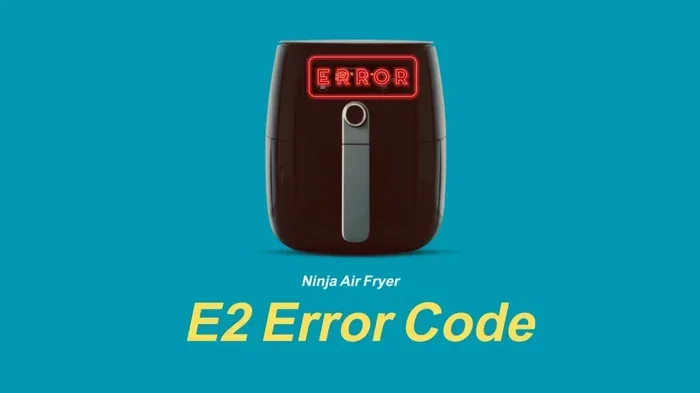
- E2: Overheating detected. The unit has exceeded safe operating temperatures.
- E3: Power supply issue. Check your connection and outlet.
- E4: Basket not detected. The machine cannot sense the basket is in place.
If you see any of these codes, do not ignore them. They are your air fryer way of asking for help. Address the issue immediately to prevent further problems. If you are unsure, Ninja’s customer support team is always available to help you decode the message.
How To Reset Your Ninja Air Fryer
Sometimes the simplest fix is a reset. If your Ninja air fryer keeps beeping and you have checked the obvious things like power and basket placement, a reset can clear error states and get things running again. There are two types of resets you can try.
Soft Reset
A soft reset is the easiest and least disruptive option. Here is how to do it:
- Turn off your air fryer using the power button on the unit.
- Unplug the power cord from the wall outlet.
- Wait for at least 5 minutes. This gives the internal components time to fully discharge.
- Plug the air fryer back in and turn it on.
- Run a short test cycle with no food inside to see if the beeping has stopped.
A soft reset works well for clearing minor glitches, temporary error codes, and power-related beeping. Think of it like restarting your phone when it freezes. It is the first thing you should try.
Hard Reset
If a soft reset does not work, you can try a hard reset. This is a deeper reset that clears more stubborn issues. The process varies slightly by model, but generally follows these steps:
- Unplug the air fryer from the power source.
- Hold down the power button for 10 to 15 seconds to drain residual power from the circuit board.
- Leave the unit unplugged for at least 30 minutes.
- Plug it back in and power it on.
- Check if the beeping has stopped and the display has returned to normal.
A hard reset is more aggressive and should only be used when a soft reset fails. It does not erase your saved settings or cooking programs, so you will not lose your preferences. If neither reset solves the problem, it is time to move on to other troubleshooting steps or contact support.
Maintenance Tips To Prevent Beeping
The best way to deal with a beeping Ninja air fryer is to prevent the problems that cause it in the first place. Regular maintenance goes a long way. Just like you would maintain any kitchen appliance, your air fryer needs some love too. Think of it as basic air fryer maintenance that keeps your machine happy and beep-free.
Regular Cleaning
Grease, food debris, and crumbs can build up inside your air fryer over time. This buildup can cause overheating, strange smells, and yes, beeping alerts. Here is a simple cleaning routine to follow:
- After every few uses, remove the basket and wash it with warm soapy water. Do not use abrasive scrubbers that can damage the non-stick coating.
- Wipe down the interior of the air fryer with a damp cloth. Pay special attention to the heating element area where grease tends to collect.
- Empty the crumb tray regularly. Most Ninja models have a removable tray at the bottom for easy cleaning.
- Never submerge the main unit or the heating element in water. Use a damp cloth for external cleaning only.
- Check the heating element for any visible residue or buildup and gently clean it with a soft brush.
Clean your Ninja air fryer at least once a week if you use it frequently. This keeps everything running smoothly and reduces the chance of error beeps triggered by sensor issues caused by grease buildup.
Proper Storage
How you store your air fryer matters too. If you shove it into a tight cabinet or stack heavy items on top of it, you can damage the unit or block ventilation paths. Store your air fryer in a cool, dry place with adequate space around it. Keep it away from water sources and direct sunlight. When storing for long periods, make sure the unit is completely clean and dry inside.
When To Contact Ninja Customer Support
Most Ninja air fryer beeping issues can be resolved at home with the troubleshooting steps we have covered. However, there are times when you should reach out to the experts at Ninja customer support. Do not hesitate to contact them if you experience any of the following:
- The beeping continues even after a full reset and all troubleshooting steps.
- Your air fryer displays an error code that is not listed in your user manual.
- You notice sparks, smoke, or burning smells coming from the unit.
- The power cord or plug shows visible damage.
- The display screen is completely unresponsive or flickering.
- The air fryer turns on and off randomly without input.
Warranty Information
Ninja offers a limited warranty on most of its air fryer models. The standard warranty period is typically one year from the date of purchase, though some higher-end models may have extended coverage. Your warranty covers defects in materials and workmanship under normal use. It does not cover damage caused by misuse, unauthorized modifications, or normal wear and tear.
To file a warranty claim, you will need your proof of purchase and the model number of your air fryer. You can usually find the model number on a sticker on the bottom or back of the unit. Visit the Ninja website or call their support line to start the process. Having your information ready will speed things up considerably.
Getting Help
Ninja customer support is available through multiple channels. You can call their helpline, chat with a representative on their website, or check their extensive online FAQ section. Many common issues are addressed in their troubleshooting guides, which can be found on the official Ninja website. You might also find helpful information on appliance service pages similar to where you can get your coffee machine serviced, since the same principle of professional appliance repair applies to your air fryer when home fixes do not work.
Quick Tips For Smooth Air Fryer Operation
Here are some handy quick tips to keep your Ninja air fryer running without a hitch:
- Always plug your air fryer directly into a wall outlet. Avoid extension cords and power strips.
- Give your air fryer plenty of breathing room. At least 4 to 6 inches on all sides.
- Do not overfill the basket. Overcrowding can cause uneven cooking and trigger alerts.
- Preheat your air fryer when recipes call for it. This ensures consistent cooking from the start.
- Check the basket and heating element before every use for any food debris.
- Keep your air fryer on a flat, stable surface. A wobbly unit can trigger safety beeps.
- Update your firmware if your model supports it. Some Ninja smart models have app-based updates that fix known bugs.
- Use your air fryer in a well-ventilated area. Never enclose it in tight spaces.
Following these simple tips will reduce the chances of encountering air fryer problems and keep your meals cooking perfectly every single time.
Understanding Your Air Fryer Temperature Settings
Another reason your Ninja air fryer might beep is related to temperature settings. If you set a temperature that is too high for the type of food you are cooking, the unit may alert you. Some models beep when the set temperature exceeds what is recommended for the selected cooking mode.
Here is a quick reference for air fryer cooking temperatures:
- Frozen foods: 375°F to 400°F
- Meat and poultry: 360°F to 400°F depending on cut and thickness
- Vegetables: 350°F to 375°F
- Baked goods: 325°F to 350°F
- Reheating: 300°F to 350°F
If your beeping is related to temperature, simply adjust the setting to a more appropriate range. Refer to your recipe or the Ninja cookbook that came with your unit for guidance. Proper air fryer temperature management not only prevents beeping but also improves your cooking results significantly.
Comparing Beeping Issues Across Ninja Air Fryer Models
Ninja makes a wide range of air fryers, and the beeping behavior can differ slightly from model to model. Here is a quick comparison of common issues by popular Ninja air fryer lines:
| Model | Common Beep Cause | Typical Fix |
|---|---|---|
| AF101 | Basket not seated | Reseat basket firmly |
| AF200 | Overheating | Cool down and improve ventilation |
| AF300 | Power supply error | Check outlet and cord |
| AF400 | Temperature sensor fault | Reset and contact support if needed |
| DualZ | Basket mismatch alert | Ensure both baskets are properly placed |
As you can see, the underlying causes are similar across models, even if the specific triggers differ. Knowing your model helps you pinpoint the issue faster. If you are shopping for a new unit and comparing options, understanding these Ninja air fryer quirks can also help you make a more informed decision. You might find helpful discussions about air fryer brands and types in resources similar to guides about automatic drip coffee makers, where appliance experts break down features and what to look for.
Conclusion
Dealing with a beeping Ninja air fryer does not have to be a headache. In most cases, the problem is simple and easy to fix. Check your power supply first. Make sure the basket is properly seated. Let your unit cool down if it is overheating. Try a reset if the error persists. And always keep your air fryer clean and well-maintained to prevent issues before they start.
Your Ninja air fryer is designed to make your life easier in the kitchen. That beeping sound is its way of protecting you and the machine. Once you understand what it is trying to tell you, you can address the issue quickly and get back to cooking delicious meals. If nothing else works, Ninja customer support is there to help you through any stubborn air fryer problems. Now you have all the knowledge you need to handle any beeping situation like a pro. Happy cooking!
Frequently Asked Questions
Why does my Ninja Air Fryer keep beeping during cooking?
Your Ninja air fryer is likely alerting you to an issue such as an improperly seated basket, overheating, or a power fluctuation. Stop the cycle, check that the basket is fully locked in, make sure the unit has enough airflow, and try again. If the beeping continues, perform a soft reset by unplugging the unit for a few minutes.
How do I reset my Ninja Air Fryer when it keeps beeping?
Unplug the air fryer from the power source, wait at least 5 minutes for a soft reset, then plug it back in and turn it on. For a more thorough reset, hold the power button for 10 to 15 seconds while unplugged, wait 30 minutes, then reconnect. This clears temporary error states that may be causing the beeping. If you need more appliance troubleshooting guidance, resources on fixing common kitchen appliance issues can be helpful.
Can a beeping Ninja Air Fryer damage my food?
Usually no. A beeping air fryer typically pauses or stops the cooking cycle to prevent damage to itself or your food. However, if the beeping is caused by an overheating issue and the unit shuts off mid-cook, your food may not be fully cooked. Always check your food temperature and reheat or finish cooking as needed. Proper air fryer cooking practices help avoid this situation entirely.
What does 3 beeps on a Ninja Air Fryer mean?
Three quick beeps on most Ninja air fryer models indicate that the basket is not properly inserted or has been removed during a cooking cycle. Pull the basket out, make sure there is no food debris on the basket or inside the unit, and reseat it firmly until you hear a click. Resume your cooking cycle once the beeping stops.
Is it safe to use my Ninja Air Fryer if it keeps beeping?
It is best not to use your air fryer while it is continuously beeping. The beeping is a safety alert indicating a real issue such as overheating, a power problem, or a sensor fault. Address the underlying cause before resuming use. If you are unsure about the issue, contact Ninja customer support for guidance. Using the unit while it is alerting you could lead to further damage or safety risks.
How often should I clean my Ninja Air Fryer to prevent beeping?
If you use your air fryer frequently, aim to do a thorough cleaning at least once a week. This includes washing the basket, emptying the crumb tray, and wiping down the interior and heating element area. Regular air fryer maintenance prevents grease buildup that can trigger overheating alerts and sensor errors. After cooking messy or greasy foods, do a quick wipe-down to keep things clean between full cleanings.