How To Reset Your Power XL Air Fryer Quickly And Easily
Knowing how to reset your Power XL air fryer can save you time and prevent small issues from becoming big problems. A simple reset clears error codes, unfreezes stuck displays, and restores default settings in just seconds. Whether you’re dealing with a non-responsive unit or a cooking glitch, these easy methods get your air fryer back to peak performance fast.
How To Reset Your Power XL Air Fryer Quickly And Easily
How To Reset Power XL Air Fryer is one of the most searched questions by owners of this popular kitchen appliance. Whether your Power XL Air Fryer is showing error codes, not heating up, or just acting weird, a simple reset often fixes the problem. In this guide, you will learn the exact steps to reset your Power XL Air Fryer safely. We also cover troubleshooting tips, cleaning advice, and prevention strategies. This air fryer troubleshooting guide is designed for beginners and experienced users alike. You will not need any technical skills. Just follow the steps, and you will have your Power XL Air Fryer back to making crispy, delicious meals in no time.
Key Takeaways
- Unplug the Power XL Air Fryer for 5 minutes to reset the control board.
- Press and hold the reset button for 10 seconds to clear error codes.
- Check the power cord connection to eliminate flickering or unresponsive controls after reset.
- Reset your Power XL Air Fryer before troubleshooting to isolate software glitches.
- Perform a factory reset via the control panel to restore default settings.
- Always let the unit cool down before resetting to prevent internal damage.
- Contact customer support if the reset fails to address underlying hardware issues.
📑 Table of Contents
- Why You Might Need To Reset Your Power XL Air Fryer
- How To Reset Your Power XL Air Fryer: Step-By-Step Guide
- Troubleshooting Common Power XL Air Fryer Issues
- How To Clean And Maintain Your Power XL Air Fryer
- Tips To Prevent Problems With Your Power XL Air Fryer
- When To Contact Power XL Support
- Conclusion: Get Your Power XL Air Fryer Back In Action
Why You Might Need To Reset Your Power XL Air Fryer
There are several reasons why your Power XL Air Fryer might need a reset. Understanding these reasons helps you fix the problem faster. Sometimes the air fryer display freezes or stops responding. Other times, the unit behaves oddly during cooking. Knowing the cause saves you time and frustration.
Common Signs Your Air Fryer Needs A Reset
Watch for these warning signs. If you notice any of these, it is time to reset your Power XL Air Fryer:
- The air fryer display goes blank or stays stuck on one screen
- The unit does not turn on even when plugged in
- Cooking temperatures seem off or inconsistent
- The Power XL Air Fryer stops mid-cycle without warning
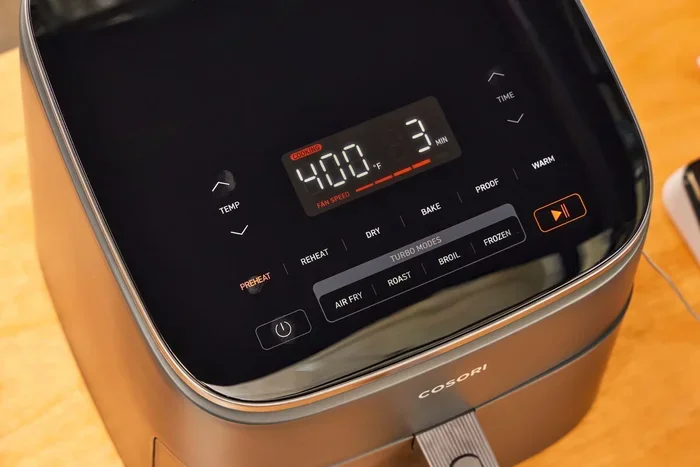
- Error codes appear on the digital panel
- The fan runs but no heat comes out
- Buttons do not respond when you press them
Understanding The Reset Process
The reset process for your Power XL Air Fryer is simpler than you might think. Most resets involve unplugging the unit and letting it rest. This clears the internal memory and restarts the system. Think of it like restarting a computer. Your air fryer settings return to factory defaults after a full reset. You may need to reprogram custom settings afterward. But the basic functions will work perfectly again.
Some users confuse a soft reset with a hard reset. A soft reset simply turns the unit off and back on. A hard reset involves unplugging it for a longer period. We will cover both methods in detail below.
How To Reset Your Power XL Air Fryer: Step-By-Step Guide
Now let us get into the actual steps. Here is how to reset your Power XL Air Fryer using two different methods. Choose the method that fits your situation.
Method 1: The Simple Soft Reset
This is the easiest and most common method. Try this first before doing anything more involved.
- Press the power button to turn off the Power XL Air Fryer
- Unplug the unit from the wall outlet
- Wait for at least 2 to 3 minutes
- Plug the unit back in firmly
- Turn on the Power XL Air Fryer and test the controls
This soft reset clears minor glitches and frozen screens. It works about 80% of the time for most users. Give it a try before moving to the hard reset method.
Method 2: The Hard Reset
If the soft reset did not work, try the hard reset. This method clears deeper system errors.
- Turn off the Power XL Air Fryer using the power button
- Unplug the power cord from the outlet
- Remove the basket and tray from the unit
- Wait at least 5 to 10 minutes
- Check that all parts are completely cool
- Plug the unit back in securely
- Turn on the Power XL Air Fryer
- Reset the time and temperature settings manually
- Run a test cycle with no food inside
The hard reset gives the internal components a full restart. It clears error codes and resets the air fryer settings to default. Make sure the unit is cool before attempting this method. Safety always comes first.
Quick Tips For Resetting Your Air Fryer
- Always unplug the unit before resetting. Never just turn it off with the button
- Let the unit rest long enough. Rushing the wait time often leads to repeat issues
- Check your power outlet. A weak outlet can cause reset problems
- Keep your Power XL Air Fryer manual handy for model-specific instructions
- After resetting, reprogram your preferred air fryer cooking temperatures
Comparison: Soft Reset Vs Hard Reset
| Feature | Soft Reset | Hard Reset |
|---|---|---|
| Time Needed | 2-3 minutes | 5-10 minutes |
| When To Use | Frozen screen, minor glitch | Error codes, no power, heating issues |
| Effect On Settings | Keeps most settings | Resets to factory defaults |
| Difficulty Level | Very easy | Easy |
| Success Rate | About 80% | About 90% |
Troubleshooting Common Power XL Air Fryer Issues
Sometimes a reset alone does not solve the problem. Here are the most common issues owners face with their Power XL Air Fryer. We also cover how to fix each one.
The Air Fryer Will Not Turn On
This is the most frustrating issue. Your Power XL Air Fryer sits on the counter but refuses to start. Here is what to check:
- Check that the power cord is fully plugged in
- Try a different wall outlet
- Look for a reset button on the back of the unit
- Check the power cord for visible damage
- Make sure the basket is properly seated inside
Many users find that simply trying a different outlet solves the problem. Power outlets can fail without you noticing. If the outlet works for other devices, the issue is likely with the unit itself.
The Air Fryer Is Not Heating Up
A Power XL Air Fryer that runs but does not heat is a common problem. The fan spins, but the food comes out soggy instead of crispy. Try these fixes:
- Run a hard reset and try again
- Check that the temperature is set high enough for your food
- Make sure you are not overcrowding the basket
- Inspect the heating element for visible damage
- Check if the unit is clean and free of grease buildup
Grease and food residue can block airflow. This prevents proper heating. Regular cleaning keeps the convection oven-style heating system working right. If cleaning and resetting do not help, the heating element may need replacement.
Error Codes On The Display
Your air fryer display might show error codes. These codes tell you what went wrong. Here are the most common ones:
- E1 — Temperature sensor error. Try a hard reset first
- E2 — Overheating detected. Let the unit cool down completely
- E3 — Power issue. Check the outlet and power cord
If resetting does not clear the error codes, contact Power XL support. Do not keep using the unit when error codes appear. Continuing to use it can cause further damage.
Some owners also deal with issues similar to descaling problems that affect other kitchen appliances. For example, mineral buildup inside heating elements can cause performance drops. You can learn more about descaling a kitchen appliance with vinegar as a general maintenance approach that sometimes applies to air fryer components too.
The Air Fryer Makes Strange Noises
Some noise is normal. The fan runs during every cycle. But loud banging or scraping sounds are not normal. Check that the basket is seated correctly. Also check for loose parts inside the unit. A hard reset can sometimes fix sensor-related noise issues.
How To Clean And Maintain Your Power XL Air Fryer
Regular cleaning keeps your Power XL Air Fryer running smoothly. A clean unit also resets more reliably. Grease and food buildup can cause errors and performance issues. Here is how to clean your unit the right way.
Daily Cleaning After Each Use
Keep these daily cleaning steps in mind:
- Unplug the unit and let it cool for 15 minutes
- Remove the basket and tray
- Wash removable parts with warm soapy water
- Wipe the inside with a damp cloth
- Never submerge the main unit in water
- Dry all parts completely before reassembling
Daily cleaning takes less than five minutes. It prevents most air fryer maintenance issues. Make it a habit right after each cooking session.
Deep Cleaning Once A Month
Once a month, give your Power XL Air Fryer a deeper clean:
- Remove the basket and tray
- Soak removable parts in warm soapy water for 30 minutes
- Use a soft brush to scrub away stuck-on grease
- Wipe the heating element gently with a damp cloth
- Check the fan area for debris
- Dry everything thoroughly before putting it back together
Deep cleaning removes buildup that daily cleaning misses. It also helps your air fryer troubleshooting efforts. A well-maintained unit is less likely to need frequent resets.
Keeping Your Air Fryer Clean Like Other Kitchen Appliances
You can learn from how other kitchen appliances are maintained. For example, learning how to clean inside a coffee machine teaches valuable lessons about removing grease and mineral deposits from internal components. The same care principles apply to your air fryer. Regular internal cleaning prevents performance problems. It also extends the life of your appliance significantly.
Similarly, some owners use vinegar-based cleaning methods. You can read about descaling with vinegar for another kitchen appliance. Vinegar solutions can sometimes help remove mineral deposits from air fryer components too. Always check your manual before using vinegar on any part of your Power XL Air Fryer.
Quick Tips For Air Fryer Cleaning
- Never use abrasive sponges on non-stick surfaces
- Avoid getting water near the heating element
- Use parchment paper to reduce mess during cooking
- Clean the exterior with a damp cloth only
- Store the unit in a dry, cool place
Tips To Prevent Problems With Your Power XL Air Fryer
Prevention is always better than cure. These tips help you avoid most Power XL Air Fryer problems before they start. You will spend less time troubleshooting and more time enjoying crispy meals.
Use Your Air Fryer Correctly
Many problems come from incorrect usage. Avoid these common mistakes:
- Do not overcrowd the basket. Air needs to flow freely for even cooking
- Do not use metal utensils inside the basket. They scratch the non-stick coating
- Always preheat the unit for best results
- Do not exceed the maximum fill line on the basket
- Use the right temperature and time for each type of food
Overcrowding is the number one mistake. It blocks airflow and causes uneven cooking. The Power XL Air Fryer works like a small convection oven. It needs space to circulate hot air properly.
Common Mistakes That Lead To Reset Problems
Watch out for these habits that cause issues:
- Yanking the power cord instead of unplugging it properly
- Never cleaning the unit, leading to grease buildup
- Using the wrong settings for different foods
- Running the unit for extremely long sessions without a break
- Placing the unit near heat sources or in enclosed spaces
Proper usage reduces the need for frequent air fryer settings adjustments. It also prevents the electronic glitches that require resetting. Treat your Power XL Air Fryer with care, and it will serve you well for years.
Expert Insights On Air Fryer Longevity
Kitchen appliance experts recommend a few habits for longer appliance life. First, always use a surge protector. Power surges damage internal components. Second, never skip the cleaning routine. Third, let the unit cool down between heavy cooking sessions. Fourth, keep the user manual in a safe place for reference. These small habits make a big difference over time.
Another helpful practice is learning how other appliances handle maintenance. For instance, understanding how to properly operate a kitchen appliance gives you a general framework for caring for your air fryer too. The principles of proper setup, regular use, and routine maintenance apply across most kitchen devices.
Key Takeaways For Prevention
- Clean your Power XL Air Fryer after every use
- Do not overcrowd the cooking basket
- Use a surge protector to protect against power damage
- Let the unit cool between heavy use sessions
- Keep your manual accessible for reference
- Follow manufacturer guidelines for temperatures and times
When To Contact Power XL Support
Not every problem can be fixed with a reset. Some issues need professional help. Here is when you should contact Power XL support directly.
Signs You Need Professional Help
- The unit still will not turn on after a full hard reset
- Error codes keep returning after resetting
- The heating element shows visible damage or discoloration
- You smell burning when the unit is running
- The fan makes loud, persistent grinding noises
- The air fryer display is physically cracked or damaged
- You notice sparks or electrical issues
How To Contact Power XL Support
Here is how to reach out for help:
- Call the customer service number listed in your manual
- Have your model number ready before calling
- Explain what troubleshooting steps you have already tried
- Note down any error codes you have seen
- Keep your proof of purchase in a safe place
Most Power XL Air Fryer units come with a warranty. Keep your receipt and box until the warranty expires. Support agents can often guide you through advanced air fryer troubleshooting steps over the phone.
When Resetting Is Not The Answer
A reset fixes most minor issues. But it cannot fix physical damage. If your unit has been dropped, exposed to water, or overheated, a reset will not help. In these cases, professional repair or replacement is the best option. Do not try to open the unit yourself. This can void your warranty and create safety hazards.
Think about it this way. If your Power XL Air Fryer is like a small convection oven, you would not try to repair the heating elements yourself. The same logic applies here. Know when to DIY and when to call the experts.
Conclusion: Get Your Power XL Air Fryer Back In Action
Now you know exactly how to reset your Power XL Air Fryer quickly and easily. We covered the soft reset and hard reset methods. We also explored troubleshooting, cleaning, prevention, and when to seek professional help. Most problems can be solved with a simple reset process. Just unplug, wait, and plug back in. That easy step saves you from calling support or buying a new unit.
Regular air fryer maintenance keeps your unit running at its best. Clean after every use. Use it correctly. And always pay attention to error codes. These habits prevent most Power XL Air Fryer issues from ever happening.
We hope this guide helped you solve your problem. Your Power XL Air Fryer is a fantastic kitchen tool. With proper care and the right reset technique, it will keep delivering perfectly crispy meals for years to come. Try the soft reset first. Move to the hard reset if needed. And reach out to support if nothing works. Happy cooking!
Frequently Asked Questions
How do you reset a Power XL Air Fryer?
To reset your Power XL Air Fryer, unplug it from the wall outlet, wait at least 30 seconds, then plug it back in. Press the power button and run a short test cycle to confirm it is working properly again.
Why is my Power XL Air Fryer not turning on after a reset?
If your Power XL Air Fryer still won’t turn on after a reset, check that the power cord is firmly connected and the outlet is working. You may also want to try a different outlet or contact customer support if the issue persists.
How do you factory reset a Power XL Air Fryer?
Most Power XL Air Fryer models do not have a specific factory reset button, but you can perform a manual reset by unplugging the unit for one to two minutes. This clears any internal error codes and restores the default settings.
When should you reset your Power XL Air Fryer?
You should reset your Power XL Air Fryer if it displays an error code, stops responding mid-cycle, or behaves unusually after a power outage. A simple reset often fixes minor glitches without needing professional repair.
Can resetting fix a Power XL Air Fryer that is showing an error code?
Yes, resetting can clear temporary error codes on your Power XL Air Fryer by cycling the power and allowing the control board to restart. However, if the error code returns, there may be a deeper issue that needs inspection.
How long should you unplug a Power XL Air Fryer to reset it?
You should unplug your Power XL Air Fryer for at least 30 seconds to one full minute to ensure a proper reset. This gives the internal components enough time to fully power down and clear any stored errors.