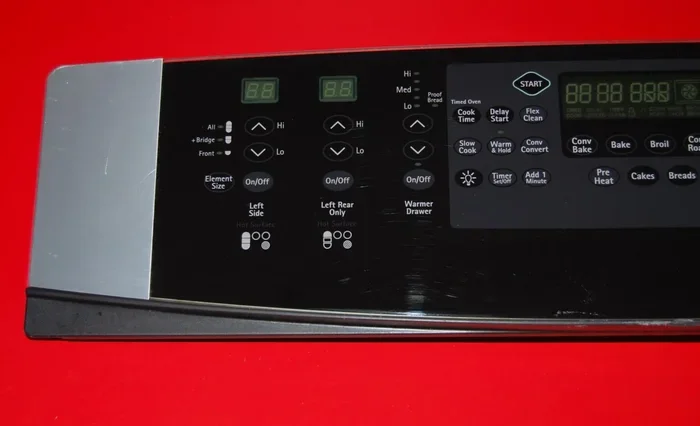
How To Turn Off Kenmore Oven In Just A Few Simple Steps
Turning off your Kenmore oven is simple once you know the right steps for your model. Whether you have a Kenmore electric oven or a Kenmore gas oven, this guide walks you through every method — from the control panel to the oven knob. You will also learn what to do if your Kenmore oven won’t turn off, plus essential safety tips to keep your kitchen safe.
Have you ever stood in your kitchen, staring at your Kenmore oven, wondering if you turned it off? You are not alone. Many people use their Kenmore oven every day but never think about the proper way to shut it down. The truth is, knowing how to turn off Kenmore oven correctly matters more than most people realize.
Your oven is one of the most powerful appliances in your kitchen. It uses high heat, electricity, and sometimes gas to cook your food. If you do not shut it down the right way, you could waste energy, damage the oven control panel, or even create a safety risk. This guide will show you exactly how to power down your Kenmore oven in just a few simple steps.
We will cover every method — whether you have a Kenmore electric oven or a Kenmore gas oven. You will learn about the oven control panel, the oven knob, the self-clean cycle, and what to do when things go wrong. By the end, you will feel confident every time you shut off your oven.
Key Takeaways
- Know your model: Different Kenmore oven models use different shutoff methods — knobs, buttons, or touch controls.
- Turn off the oven properly: Always use the control panel or knob to shut down your Kenmore oven safely.
- Don’t ignore warning signs: If your Kenmore oven won’t turn off, there may be a control board or sensor issue.
- Safety first: Unplug the oven or switch off the circuit breaker if you suspect a malfunction.
- Regular maintenance helps: Cleaning and inspecting your oven after shutdown extends its life.
- Self-clean mode needs special attention: Always let the cycle finish before attempting to turn off the Kenmore oven.
- Call a pro when needed: Persistent issues with oven power off require professional diagnosis.
📑 Table of Contents
- Why Knowing How To Turn Off Kenmore Oven Matters
- How To Turn Off Kenmore Oven: Step-by-Step Guide
- Common Issues When Your Kenmore Oven Won’t Turn Off
- Safety Tips For Shutting Down Your Kenmore Oven
- Maintaining Your Kenmore Oven After Powering It Down
- When To Call A Professional For Kenmore Oven Problems
Why Knowing How To Turn Off Kenmore Oven Matters
Some people think turning off an oven is just a quick twist of the knob. And for older models, that might be true. But modern Kenmore ovens have digital displays, touch pads, and multiple settings that require a specific shutdown process. Taking a few extra seconds to do it right can save you from bigger problems later.
Here is why proper shutdown matters so much:
- Energy savings: An oven left on standby still draws power. Shutting it down completely stops that wasted electricity.
- Safety: Leaving a Kenmore gas oven on without proper shutoff can lead to gas leaks or carbon monoxide exposure.
- Appliance longevity: The oven heating element and control board last longer when the oven is fully powered down after each use.
- Fire prevention: An oven left at high heat with nothing inside can become a fire hazard over time.
- Accurate cooking: A properly shut down oven resets for the next use, giving you better cooking results.
Think of shutting off your oven like locking your front door. It is a small habit that protects your home, your family, and your investment. Once you learn the right method for your specific Kenmore model, it becomes second nature.
How To Turn Off Kenmore Oven: Step-by-Step Guide
Every Kenmore oven is a little different, but the basic shutdown process follows a similar pattern. Let us walk through the most common methods so you can find the one that matches your model.
Method 1: Using the Oven Knob
Many Kenmore ovens still use a traditional rotary knob for temperature and power control. This is the simplest way to turn off your oven. Here is what to do:
- Make sure the oven is not in self-clean mode or any active cooking cycle.
- Locate the temperature knob on the front of the oven.
- Rotate the knob to the Off position. You will usually feel a click or see the indicator line up with the Off mark.
- Listen for any clicking sounds to stop. That means the oven heating element has powered down.
- If your oven has a separate oven light or oven fan knob, turn those off too.
For older Kenmore models with analog knobs, this is all you need to do. The oven will cool down naturally on its own. Just make sure the knob is firmly in the Off position.
Method 2: Using the Control Panel
If your Kenmore oven has a digital oven control panel, the shutdown process is slightly different. Newer models use electronic controls that need a proper sequence to power down:
- Press the Clear or Cancel button on the display. This stops any active cooking cycle.
- Wait about 5 to 10 seconds for the display to reset.
- Press and hold the Off button for 3 to 5 seconds. On some models, you may need to press Stop or Off/Oven simultaneously.
- Check the display. It should go blank or show a standby mode indicator.
- If the display stays on, try turning the oven timer off as well, since some models keep the panel active when the timer is set.
Different Kenmore models use different button layouts, so always check your user manual if you are unsure. The oven timer is a common reason the display stays lit even after you press Off.
Method 3: Turning Off the Kenmore Oven After Self-Clean
The self-clean cycle is one of the most convenient features on a Kenmore oven. But it also requires special attention when you want to turn the oven off. The self-clean cycle locks the oven door and heats the interior to extremely high temperatures to burn off grease and food residue.
Here is what you need to know:
- Do not try to turn off the oven mid-cycle. The door lock mechanism will not release until the cycle finishes or the temperature drops to a safe level.
- Let the cycle complete naturally. Once the self-clean cycle ends, the oven will begin cooling down on its own.
- Wait for the door lock to release. This can take 30 minutes to over an hour depending on the model.
- Turn the oven off after the door unlocks. Use either the knob or control panel method described above to fully power down the oven.
Many people make the mistake of trying to force the door open during the self-clean cycle. This can damage the oven door lock and the control board. Patience is key here. Let the oven do its job, then shut it off properly.
Method 4: Unplugging or Switching Off the Circuit Breaker
If you need to completely disconnect power to your Kenmore oven — for cleaning, moving, or troubleshooting — you can unplug it or switch off the circuit breaker. This is the most thorough way to ensure the oven is fully off:
- Unplug the oven: Pull the plug from the wall outlet. This completely cuts power to the oven control panel and all heating elements.
- Switch off the circuit breaker: Find the breaker labeled for the oven in your home’s electrical panel and flip it to the Off position.
- Wait before reconnecting: If you are troubleshooting an issue, wait at least 5 minutes before restoring power. This gives the oven control board time to reset.
This method is especially useful if your Kenmore oven won’t turn off through normal means. Cutting power forces a complete shutdown and can reset electronic glitches. However, this should not be your regular shutdown method — use it only when needed.
Common Issues When Your Kenmore Oven Won’t Turn Off
Sometimes, even after you follow all the steps, your Kenmore oven stays on. This can be frustrating and concerning. Let us look at the most common reasons this happens and what you can do about it.
The Oven Control Panel Is Stuck
The oven control panel is the brain of your Kenmore oven. It receives your inputs and sends signals to the heating elements. Over time, moisture, grease, or general wear can cause the panel to malfunction. If the panel is stuck, it may continue sending power to the oven even after you press Off.
Try these quick fixes first:
- Press and hold the Clear button for 10 seconds to reset the panel.
- Unplug the oven for 5 minutes, then plug it back in.
- Check for any visible damage, cracks, or moisture on the control panel.
If none of these work, the control panel may need to be replaced. This is a job for a professional technician.
The Oven Timer Is Still Set
This is one of the most overlooked reasons an oven stays on. Many Kenmore models keep the oven active if the oven timer is set, even when the cooking cycle is complete. Always check the timer display before assuming something is broken.
To turn off the timer:
- Press the Timer Off or Clear button.
- If your model has a manual timer dial, rotate it to the Off position.
- Once the timer is off, use the main oven power off method to shut down the oven completely.
The Oven Door Lock Mechanism Is Engaged
If the oven door lock is engaged — especially after a self-clean cycle — the oven may stay in a standby or active state until the lock releases. In this case, the oven is technically off, but the control panel may still show lights or display messages.
Wait for the door to unlock naturally. Do not try to force the lock open. If the door lock stays engaged for more than an hour after the self-clean cycle ends, you may have a faulty door lock assembly that needs professional repair.
The Oven Heating Element Is Stuck On
In electric Kenmore ovens, the oven heating element can sometimes stay energized even after the oven is set to Off. This usually indicates a relay or control board issue. You may see the element glowing red even when the oven is not in use.
Important: If you notice the heating element is hot or glowing when the oven should be off, turn off the circuit breaker immediately. A stuck heating element is a serious fire risk and should be addressed by a qualified repair technician.
Safety Tips For Shutting Down Your Kenmore Oven
Kitchen safety should always come first when dealing with any appliance, especially one that uses high heat and electricity or gas. Here are some essential oven safety tips to keep in mind every time you power down your Kenmore oven.
Always Verify the Oven Is Off
Make it a habit to double-check after shutting off your oven. Look at the digital display, listen for any humming or clicking sounds, and if you are comfortable doing so, carefully place your hand near the oven door (without touching it) to feel for residual heat. If the oven is off, the heat should be decreasing, not increasing.
Keep the Area Around the Oven Clear
When the oven is off, make sure there are no towels, paper products, or flammable items near the oven door or vents. This is a simple step that prevents accidental fires. A clean oven area also helps the oven cool down faster and more evenly.
Never Leave a Kenmore Gas Oven Unattended After Use
If you have a Kenmore gas oven, always verify that the gas shutoff valve is in the correct position after turning the oven off. You should not smell gas when the oven is off. If you do, leave the kitchen immediately, open windows, and contact your gas company or emergency services.
Teach Everyone in the Household
If you share your kitchen with family members, roommates, or children, make sure everyone knows how to properly shut off the oven. Post a simple reminder near the oven if needed. This is especially important for younger or older family members who may not be familiar with the specific controls of your Kenmore model.
Use the Oven Light to Check
Many Kenmore ovens have an interior light that turns off when the oven is fully powered down. If the light is still on after you have pressed Off, the oven may not be fully shut down. This is a quick visual check that can save you from leaving the oven on by accident.
Maintaining Your Kenmore Oven After Powering It Down
Shutting off your oven is just one part of oven care. Proper maintenance after each use — and after a full shutdown — keeps your Kenmore oven running efficiently and safely for years to come.
Clean the Interior After Each Use
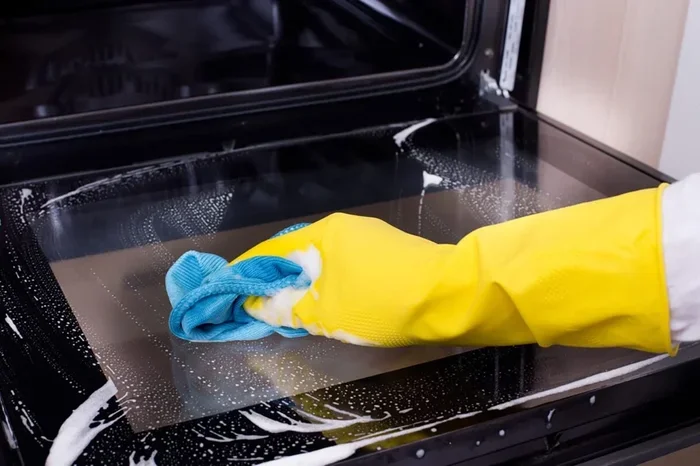
Once the oven is off and cooled down, wipe up any spills or food residue inside the oven cavity. This prevents grease buildup that can cause smoke, odors, and even affect the accuracy of the oven temperature sensor. A damp cloth with mild soap works great for this.
Check the Door Seal Regularly
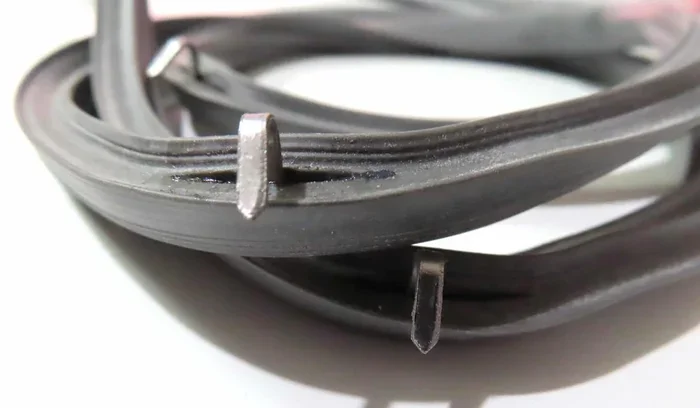
The oven door seal (also called the gasket) keeps heat inside the oven during cooking. After you turn the oven off, inspect the seal for any cracks, gaps, or damage. A damaged seal lets heat escape, which means your oven has to work harder and uses more energy.
Inspect the Oven Knob and Control Panel
Over time, oven knobs can become loose or worn. If your oven knob feels wobbly or does not click firmly into the Off position, it may need to be replaced. Similarly, check the control panel for any unresponsive buttons or flickering lights. Catching these small issues early prevents bigger problems down the road.
Run the Self-Clean Cycle Monthly
For best performance, run the self-clean cycle on your Kenmore oven once a month. This burns off built-up grease and food particles that regular wiping cannot remove. Always follow the proper shutdown process after the cycle completes to ensure the oven resets correctly.
Schedule Professional Maintenance Annually
Even with the best home care, your Kenmore oven benefits from an annual professional inspection. A technician can check the oven heating element, test the control board, inspect the gas lines (if applicable), and verify that all safety mechanisms are working properly.
When To Call A Professional For Kenmore Oven Problems
Most of the time, turning off your Kenmore oven is straightforward and problem-free. But there are situations where you should not try to fix the issue yourself. Knowing when to call a professional saves you time, money, and most importantly, keeps you safe.
Call a professional if you experience any of the following:
- The oven stays on even after you unplug it or switch off the circuit breaker.
- You smell gas coming from a Kenmore gas oven when it is turned off.
- The oven control board displays error codes that do not clear after a reset.
- The oven door lock will not release after a self-clean cycle.
- The oven heating element is visibly damaged or sparking.
- The oven produces unusual sounds — buzzing, clicking, or humming — when it is off.
A licensed appliance repair technician has the tools and training to diagnose and fix these issues safely. Trying to repair electrical or gas components on your own can be dangerous and may void your warranty. When in doubt, always reach out to a professional.
Your Kenmore oven is a significant investment in your kitchen. Taking care of it — including proper shutdown after every use — pays off in reliable performance, energy savings, and peace of mind. Now that you know exactly how to turn off Kenmore oven, you can handle every shutdown with confidence.
Remember the steps we covered: use the oven knob for older models, press the control panel buttons for digital models, never interrupt a self-clean cycle, and unplug or switch off the breaker when troubleshooting. Follow these simple habits, and your Kenmore oven will serve you well for many years to come.
Take a moment today to review your specific Kenmore oven model and familiarize yourself with its shutdown process. It is one of those small kitchen habits that makes a big difference. Your oven, your kitchen, and your family will thank you for it.
Frequently Asked Questions
How do I turn off my Kenmore oven if the control panel is unresponsive?
Try pressing and holding the Clear button for 10 seconds to reset the panel. If that does not work, unplug the oven from the wall outlet or switch off the circuit breaker. Wait at least 5 minutes before restoring power. If the panel remains unresponsive, contact a professional technician for diagnosis.
Can I turn off my Kenmore oven by just switching the knob to off?
Yes, for older Kenmore models with analog knobs, simply rotating the knob to the Off position is sufficient. Make sure the knob clicks firmly into place. For newer digital models, you also need to press the Off or Cancel button on the control panel to fully power down the oven.
Why does my Kenmore oven still feel warm after I turn it off?
This is completely normal. The oven heating element and the interior walls retain heat after cooking. The oven should cool down gradually over 30 to 60 minutes. If the oven is still getting hotter instead of cooling down after an hour, there may be an issue with the control board or heating element that needs professional attention.
Is it safe to leave a Kenmore oven on overnight?
No, it is not safe to leave any oven on unattended overnight. Even on a low setting, an oven left on for many hours poses a fire risk and wastes energy. Always turn off your Kenmore oven when you are done cooking and not actively monitoring it.
What should I do if I smell gas after turning off my Kenmore gas oven?
If you smell gas, do not touch any electrical switches or create sparks. Open windows immediately, leave the kitchen, and contact your gas company or emergency services from outside the home. Do not attempt to use the oven until a professional has inspected and cleared the gas line.
How often should I have my Kenmore oven professionally inspected?
It is recommended to have your Kenmore oven inspected by a qualified technician at least once a year. Regular maintenance helps identify potential issues with the oven control board, heating element, and safety mechanisms before they become serious problems.
=== CONCLUSION ===
Knowing how to turn off Kenmore oven properly is one of the simplest yet most important kitchen skills you can develop. Whether you use a traditional knob, a digital control panel, or need to unplug the oven for maintenance, the right shutdown method protects your home, saves energy, and extends the life of your appliance.
Remember to always verify the oven is fully off, never interrupt a self-clean cycle, and address any issues with your Kenmore oven promptly. With these habits in place, you will enjoy safer, more efficient cooking every single day. Share this guide with anyone in your household who uses the oven — because a little knowledge goes a long way toward keeping everyone safe and your kitchen running smoothly.