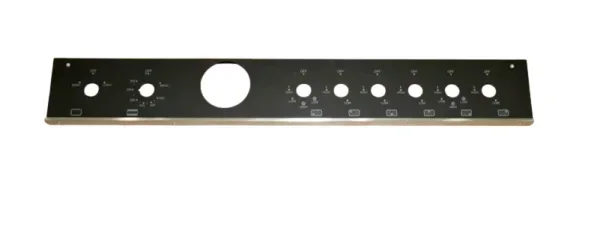
How To Reset Bertazzoni Oven With These Simple Steps
Learning how to reset Bertazzoni oven is simple and can save you from costly service calls. This guide walks you through every reset method, from a quick power cycle to a full factory reset, so your oven runs smoothly again. Whether you are dealing with error codes, a frozen display, or heating issues, these steps will help you troubleshoot like a pro.
Have you ever stood in your kitchen staring at a blank Bertazzoni oven display, wondering what went wrong? You preheat it, set the timer, and suddenly — nothing. The screen freezes. An error code flashes. The oven refuses to start. It is frustrating, especially when you have a meal to prepare.
The good news is that most Bertazzoni oven problems can be solved with a simple reset. You do not need to be a technician. You do not need expensive tools. All you need is a little patience and the right steps. Learning how to reset Bertazzoni oven is one of the most useful skills any home cook can have.
In this guide, we will walk you through every reset method. From a quick power cycle to a full factory reset, we cover it all. We will also help you understand error codes, explain the difference between soft and factory resets, and share tips to prevent future issues. By the end, you will feel confident fixing your oven yourself.
Bertazzoni ovens are known for their sleek design and professional-grade performance. But like any appliance, they can occasionally need a reset. Whether you own a single Bertazzoni oven or a double Bertazzoni range, the reset process is similar across most models. Let us dive in and get your oven back to working order.
Key Takeaways
- Soft Reset: A simple power cycle can fix most minor glitches and error codes on your Bertazzoni oven.
- Factory Reset: Use this method only when soft resets fail and you need to restore all settings to default.
- Error Codes Matter: Understanding your Bertazzoni oven error codes helps you choose the right reset approach.
- Control Panel Reset: Resetting the display separately can solve interface freezes without affecting your cooking settings.
- Safety First: Always unplug the oven or turn off the circuit breaker before performing any reset.
- Prevent Future Issues: Regular maintenance and proper use reduce the need for frequent resets.
- When to Call a Pro: If resets do not work, contact Bertazzoni support to avoid voiding your warranty.
📑 Table of Contents
- Why You Might Need to Reset Your Bertazzoni Oven
- How To Reset Bertazzoni Oven: Step-by-Step Guide
- How To Reset Bertazzoni Oven With Error Codes
- Resetting the Control Panel and Display
- Factory Reset vs. Soft Reset: What Is the Difference?
- Common Mistakes When Resetting Your Bertazzoni Oven
- How To Prevent Future Oven Issues
- Final Thoughts on How To Reset Bertazzoni Oven
Why You Might Need to Reset Your Bertazzoni Oven
Ovens are complex appliances. They combine electronics, heating elements, sensors, and software. Sometimes, these systems need a fresh start. Resetting your Bertazzoni oven clears temporary glitches and restores normal operation.
Here are the most common reasons you might need to perform a Bertazzoni oven reset:
- Error codes appear on the display. These codes signal specific problems, and a reset often clears them.
- The oven does not heat up. A reset can restart the heating system and restore proper function.
- The control panel becomes unresponsive. Touch buttons may stop working or freeze mid-use.
- The display screen goes blank. A power cycle usually brings the screen back to life.
- The oven beeps continuously. Persistent beeping often stops after a successful reset.
- Settings get stuck or do not save. A reset restores default settings and fixes saving issues.
- You just installed a new oven. A factory reset ensures all settings are clean and optimized.
Understanding why your oven needs a reset helps you choose the right method. A simple power cycle works for most minor issues. But deeper problems may require a factory reset or control panel reset. Let us explore each method in detail.
When a Reset Is Not Enough
Sometimes, resetting the oven does not fix the underlying problem. If your Bertazzoni oven error codes keep coming back after a reset, there may be a hardware issue. Faulty heating elements, broken sensors, or wiring problems need professional attention. Always pay attention to patterns. If the same error returns every time you reset, it is time to call Bertazzoni support.
How To Reset Bertazzoni Oven: Step-by-Step Guide
Now let us get into the hands-on part. Below, we explain the most common reset methods. Follow these steps carefully for the best results.
Method 1: The Soft Reset (Power Cycle)
A soft reset is the easiest and safest way to reset your Bertazzoni oven. It does not erase any settings or data. Think of it like restarting your phone. It clears temporary glitches and refreshes the system.
Here is how to do it:
- Turn off the oven. Press the power button or select the off setting on your control panel.
- Unplug the oven from the wall outlet. If unplugging is not convenient, turn off the circuit breaker that powers the oven.
- Wait at least 60 seconds. This gives the internal capacitors time to discharge fully. The waiting period is important.
- Plug the oven back in. Or turn the circuit breaker back on.
- Turn on the oven. Check if the display works and if the error codes are gone.
This method works for most Bertazzoni oven reset situations. It takes less than two minutes and solves the majority of minor issues. Try this first before moving on to more advanced methods.
Method 2: The Control Panel Reset
If your Bertazzoni oven display is frozen but the oven still has power, a control panel reset can help. This method targets the electronic interface without affecting your cooking settings.
Follow these steps:
- Locate the reset button. Some Bertazzoni models have a small reset button on the back or behind the control panel. Check your user manual for the exact location.
- Press and hold the reset button for 10 seconds. Use a thin object like a paperclip if the button is recessed.
- Release the button. The display should flash or turn off briefly.
- Turn the oven off and back on. This confirms the reset was successful.
If your model does not have a physical reset button, you can try holding the power button for 10 seconds. This often achieves the same result. The key is to be patient and hold the button long enough for the system to register the command.
Method 3: The Factory Reset
A factory reset is the most thorough reset option. It wipes all custom settings, preferences, and saved data. Use this method only when soft resets and control panel resets do not work. Think of it as a last resort.
Here is how to perform a Bertazzoni oven factory reset:
- Unplug the oven or turn off the circuit breaker. Safety comes first. Always disconnect power before a factory reset.
- Wait 5 minutes. This ensures all electrical charge is fully drained from the system.
- Plug the oven back in or restore power.
- Press and hold the bake and broil buttons simultaneously for 15 seconds. The display should show a reset confirmation.
- Release the buttons when the display flashes.
- Set the clock and basic settings again. A factory reset erases all saved preferences.
Not all Bertazzoni models use the same factory reset combination. Some models require holding the self-clean and convection buttons instead. Always refer to your specific model’s user manual for the exact steps. The manual is your best friend when troubleshooting.
Quick Tips for a Successful Reset
- Always refer to your user manual. Bertazzoni has different reset methods for different models.
- Never reset while the oven is hot. Wait for the oven to cool down to avoid electrical issues.
- Write down your custom settings before a factory reset. You will need to re-enter them afterward.
- Use a surge protector. Power surges cause many oven glitches. A surge protector prevents this.
- Keep your model number handy. When calling support, they will ask for it immediately.
How To Reset Bertazzoni Oven With Error Codes
Error codes are your Bertazzoni oven’s way of telling you something is wrong. Each code points to a specific issue. Resetting the oven often clears these codes, but understanding them helps you address the root cause.
Here is a quick look at common Bertazzoni oven error codes and what they mean:
| Error Code | Meaning | Reset Solution |
|---|---|---|
| F1 | Temperature sensor fault | Soft reset. If it returns, check the sensor. |
| F2 | Overheating detected | Soft reset. Let the oven cool before restarting. |
| F3 | Door lock issue | Control panel reset. Check the door latch. |
| F4 | Communication error | Factory reset. May need professional service. |
| F5 | Keypad failure | Control panel reset or factory reset. |
| E0 | General system error | Power cycle. If persistent, call support. |
When you see an error code, do not panic. Resetting Bertazzoni oven with error codes is straightforward. Start with a soft reset. If the code returns, try a control panel reset. If it still appears, a factory reset may clear it permanently.
However, if the same error code keeps returning after multiple resets, the problem is likely hardware-related. For example, an F1 code that returns every time usually means the temperature sensor needs replacement. In these cases, contact a qualified technician or Bertazzoni customer service.
Understanding Your Bertazzoni Oven Display
The display on your Bertazzoni oven does more than show the time. It communicates the oven’s status, settings, and errors. When the display freezes or shows strange symbols, a reset often fixes it. But knowing what normal looks like helps you spot problems faster.
A healthy Bertazzoni oven display should show the current time, cooking mode, and temperature clearly. If any of these elements appear distorted or flicker, it is a sign the system needs a refresh. A simple power cycle usually resolves display issues within minutes.
Resetting the Control Panel and Display
The control panel is the brain of your Bertazzoni oven. When it malfunctions, the entire appliance suffers. Resetting the control panel is different from a full oven reset, and it targets only the electronic interface.
Signs Your Control Panel Needs a Reset
How do you know the control panel is the problem? Watch for these signs:
- Buttons respond slowly or not at all.
- The display shows random symbols or lines.
- The oven starts on its own without input.
- Touch buttons light up but do not register presses.
- The screen goes dark even though the oven has power.
How To Reset the Control Panel
Resetting the control panel is quick and easy. Start by turning the oven off. Unplug it from the wall. Wait 30 seconds. Plug it back in. Turn it on. In most cases, this simple power cycle resets the control panel and clears any electronic glitches.
If the problem persists, try the button combination method. On most Bertazzoni models, pressing and holding the clock button and the oven light button together for 10 seconds resets the control panel. The display should flash and then return to normal.
For persistent control panel issues, a factory reset is the next step. Remember, a factory reset erases all saved settings. Make sure you know your preferred cooking temperatures and times before proceeding.
Preventing Control Panel Problems
You can reduce control panel issues with a few simple habits. Keep the control panel clean and dry. Spills and moisture cause many electronic problems. Wipe the panel with a soft damp cloth after each use. Avoid using harsh chemicals that can damage the touchscreen surface. Also, avoid pressing buttons too forcefully. The touch sensors are sensitive and do not need heavy pressure to work.
Factory Reset vs. Soft Reset: What Is the Difference?
Understanding the difference between a soft reset and a factory reset is important. Each serves a different purpose and affects your oven differently.
Soft Reset
A soft reset is a quick power cycle. It clears temporary software glitches and minor errors. It does not erase any settings, cooking presets, or saved data. Think of it as a refresh. A soft reset is your go-to solution for most everyday problems.
When to use a soft reset:
- The oven display freezes briefly.
- An error code appears once and disappears.
- The oven takes too long to start.
- Buttons respond slowly for no clear reason.
Factory Reset
A factory reset restores the oven to its original out-of-the-box settings. It erases all custom configurations, saved preferences, and user data. This is a deeper reset that addresses persistent software issues.
When to use a factory reset:
- Error codes return after a soft reset.
- The control panel is completely unresponsive.
- You are selling or giving away the oven.
- Multiple system functions are malfunctioning at once.
Comparison Table: Soft Reset vs. Factory Reset
| Feature | Soft Reset | Factory Reset |
|---|---|---|
| Time Required | 2 minutes | 10 minutes |
| Erases Settings | No | Yes |
| Difficulty Level | Easy | Moderate |
| Best For | Minor glitches | Persistent errors |
| Frequency | As needed | Rarely |
| Risk Level | None | Low (settings loss) |
In most situations, a soft reset is all you need. Reserve factory resets for serious issues that soft resets cannot fix. This approach keeps your oven running smoothly without unnecessary disruption to your saved settings.
Common Mistakes When Resetting Your Bertazzoni Oven
Even with the best intentions, people make mistakes when resetting their ovens. These mistakes can cause more harm than good. Here are the most common errors to avoid.
Mistake 1: Not Waiting Long Enough
One of the biggest mistakes is not waiting long enough between unplugging and plugging the oven back in. The internal systems need time to fully power down. Waiting less than 30 seconds often means the reset does not take effect. Always wait at least 60 seconds for a soft reset and 5 minutes for a factory reset.
Mistake 2: Resetting While the Oven Is Hot
Never attempt a reset when the oven is still hot. Thermal energy can interfere with the electronic systems. Wait for the oven to cool to room temperature before performing any reset. This protects both the electronics and your safety.
Mistake 3: Ignoring the User Manual
Every Bertazzoni model has specific reset instructions. The user manual contains model-specific details that generic guides do not cover. Skipping the manual can lead to incorrect reset procedures. Take five minutes to read the relevant section. It saves time and frustration in the long run.
Mistake 4: Performing Too Many Resets
Resetting your oven repeatedly does not make problems go away faster. If three resets do not fix the issue, something deeper is wrong. Continuing to reset can strain the electronic components. Stop after two or three attempts and seek professional help.
Mistake 5: Skipping Safety Precautions
Always unplug the oven or turn off the circuit breaker before any reset. Working with electrical appliances while they are plugged in creates a safety hazard. Water, heat, and electricity are a dangerous combination. Prioritize safety in every step of the process.
How To Prevent Future Oven Issues
Resetting your oven solves immediate problems, but prevention keeps those problems from coming back. A little regular maintenance goes a long way toward keeping your Bertazzoni oven in top shape.
Simple Maintenance Tips
- Clean the oven regularly. Food spills and grease buildup affect performance. Clean the interior after every use and deep clean monthly.
- Check the door seal. A worn door seal causes heat loss and uneven cooking. Replace it if it looks damaged.
- Use the right cookware. Warped pans cause uneven heating and trigger error codes. Use flat, oven-safe cookware.
- Avoid overloading the oven. Overcrowding blocks airflow and strains the heating system.
- Keep the vents clear. Blocked vents cause overheating and trigger safety shutoffs.
- Update firmware if available. Some newer Bertazzoni models support firmware updates that fix known bugs.
- Schedule annual professional maintenance. A technician can catch small problems before they become big ones.
These simple habits reduce the need for frequent resets and extend the life of your Bertazzoni oven. Prevention is always easier and cheaper than repair.
When to Call a Professional
There is a point where DIY resets are not enough. If your Bertazzoni oven troubleshooting efforts fail, it is time to call a professional. Signs that you need expert help include:
- Error codes that return immediately after every reset.
- The oven completely fails to turn on after multiple reset attempts.
- Strange smells or smoke coming from the oven.
- Visible damage to the control panel or wiring.
- The oven heats unevenly or not at all despite resets.
Contact Bertazzoni customer support first. They can walk you through advanced troubleshooting steps. If the issue persists, they will connect you with a certified technician. Always check your warranty before scheduling repairs. Many oven issues are covered under the manufacturer’s warranty, saving you money.
Final Thoughts on How To Reset Bertazzoni Oven
Resetting your Bertazzoni oven is simpler than most people think. With the right method and a little patience, you can fix most common problems without calling a technician. Start with a soft reset for minor issues. Move to a control panel reset for display or button problems. Reserve factory resets for persistent or widespread errors.
Always prioritize safety. Unplug the oven before any reset. Follow your model-specific instructions in the user manual. And know when to stop and call for professional help. Resetting is a powerful troubleshooting tool, but it is not a cure for every problem.
By understanding your Bertazzoni oven error codes and reset methods, you take control of your kitchen experience. You save time, money, and frustration. You also extend the life of your appliance. Keep this guide handy for the next time your oven acts up. A few simple steps can make all the difference.
Your Bertazzoni oven is a premium appliance built to last. With proper care and the knowledge of how to reset it when needed, it will continue delivering excellent performance for years to come. Trust the process, follow the steps, and enjoy cooking with confidence again.
Frequently Asked Questions
How do I reset my Bertazzoni oven after a power outage?
After a power outage, perform a soft reset by unplugging the oven for 60 seconds and plugging it back in. Turn the oven on and check if the display works normally. If error codes appear, try a control panel reset or factory reset as needed.
Why does my Bertazzoni oven keep showing error codes after a reset?
Recurring error codes usually indicate a hardware problem rather than a software glitch. Common causes include faulty sensors, damaged wiring, or a failing control board. If resets do not clear the codes permanently, contact Bertazzoni customer support for professional diagnosis.
Will resetting my Bertazzoni oven erase my saved cooking settings?
A soft reset does not erase any settings. A factory reset, however, restores all settings to default and erases custom configurations. Always note your preferred settings before performing a factory reset so you can re-enter them easily.
How long should I wait before resetting my Bertazzoni oven?
For a soft reset, wait at least 60 seconds after unplugging. For a factory reset, wait 5 minutes. This ensures all electrical charge is fully drained from the system, allowing the reset to work properly.
Can I reset my Bertazzoni oven while it is self-cleaning?
No. Never attempt to reset your oven during a self-clean cycle. The oven reaches very high temperatures during this cycle, and resetting it can damage the electronics or trigger a safety lock. Wait until the cycle completes and the oven cools down completely.
What should I do if the reset button on my Bertazzoni oven is not working?
If the reset button does not work, try a full power cycle by unplugging the oven for two minutes. If that fails, press and hold the power button for 15 seconds. If neither method works, consult your user manual for model-specific instructions or contact Bertazzoni support.
=== CONCLUSION ===
Learning how to reset Bertazzoni oven empowers you to handle common appliance problems with confidence. From a simple power cycle to a full factory reset, you now have all the tools and knowledge you need. Remember to start with the least invasive method and work your way up. Pay attention to error codes, follow safety precautions, and maintain your oven regularly.
Most reset situations resolve quickly and easily. Your Bertazzoni oven will be back to cooking your favorite meals in no time. Keep this guide bookmarked for future reference. And never hesitate to reach out to Bertazzoni support when you need expert help. A well-maintained oven is a happy oven, and a happy oven makes every meal better.